Understanding Encryption: A Beginner’s Guide
Quick Overview
Encryption keeps your digital life safe by scrambling data so only the right people can read it. In this guide, we'll break it down simply, share why it matters for online privacy, and even cover tools like VPNs. Whether you're new to tech or just curious, you'll walk away ready to protect yourself online. (38 words)
Have you ever wondered how your messages stay private on the internet? That's encryption at work. As someone who's tinkered with online privacy tools for years, I can tell you it's like an invisible shield around your information.
In 'Understanding Encryption: A Beginner’s Guide,' we'll explore the basics without overwhelming you. Think of it as your friendly chat over coffee about staying safe online.
Let's start with the fundamentals. Encryption turns readable data—called plaintext—into unreadable code, or ciphertext. Only those with the right key can unlock it back to normal.
Why does this matter? In a world full of hackers and data breaches, encryption stands as your first line of defense for online privacy.
What Is Encryption, Really?
Picture sending a letter in a locked box. The box is encryption; the key opens it. That's the essence.
I remember my first encounter with encryption. I was setting up email on my phone and saw the 'enable encryption' option. Curious, I flipped it on. Suddenly, my messages felt safer, even if I didn't fully get why yet.
At its core, encryption uses math algorithms to jumble data. Computers handle the heavy lifting, but you don't need a PhD to use it.
Every day, you rely on encryption. When you shop online, that padlock icon in your browser? It's HTTPS encryption keeping your card details hidden.
Without it, anyone snooping on public Wi-Fi could steal your info. Scary, right? But encryption makes that nearly impossible.
How Encryption Works: The Basics
Encryption comes in two main flavors: symmetric and asymmetric. Let's unpack them.
Symmetric encryption uses one key for both locking and unlocking. It's fast, like using the same key for your house door.
Think of AES, a popular symmetric method. Banks love it because it's quick and strong.
But sharing that key securely is tricky. If a hacker grabs it, game over.
That's where asymmetric encryption shines. It uses two keys: public for locking, private for unlocking.
You share the public key freely. Only your private key opens the message. It's like a mailbox anyone can drop mail into, but only you can retrieve it.
RSA is a classic asymmetric example. Emails and websites use it often.

| Encryption Type | Key Usage | Speed | Best For |
|---|---|---|---|
| Symmetric | One shared key | Fast | Large data files |
| Asymmetric | Public/private pair | Slower | Secure key exchange |
This table shows the trade-offs. Symmetric wins on speed; asymmetric on security for sharing.
In practice, they team up. Asymmetric starts the secure chat, then symmetric takes over for the bulk data.
Why Encryption Powers Online Privacy
Online privacy isn't just a buzzword—it's essential. With companies tracking your every click, encryption gives you control.
I've switched to encrypted messaging apps like Signal after a data leak scared me. Now, my chats vanish if needed, and no one's peeking.
For broader protection, consider online privacy tools. VPNs encrypt your entire internet connection, hiding your activity from ISPs and hackers.
If you're diving deeper, check out 'Understanding VPNs: A Beginner’s Guide' for more on these lifesavers.
Encryption also protects files on your device. Tools like BitLocker for Windows or FileVault for Mac lock your drive.
But remember, strong encryption needs strong passwords. Weak ones undo all the good work.
Real-Life Wins: My Encryption Stories
Last year, traveling abroad, I used an encrypted VPN on public Wi-Fi. Without it, my banking app could've been a target.
It felt empowering. No more paranoia about coffee shop spies.
Another time, I encrypted sensitive photos before cloud upload. Peace of mind? Priceless.
These experiences taught me: Start small, build habits. Encryption isn't scary—it's your ally.
Level Up with VPNs and More
VPNs bundle encryption with IP masking. They're top online privacy tools for beginners.
Want hands-on? Let's cover 'How to configure IVPN on Android for maximum privacy.' IVPN's open-source app prioritizes no-logs and strong encryption.
First, sign up at ivpn.net and get your account ID. Download the IVPN app from Google Play Store.
Open the app, tap 'Sign In,' and enter your ID. It auto-connects securely.
For max privacy, enable the kill switch: Go to Settings > Connection > Kill Switch > Always On. This blocks internet if VPN drops.
Choose WireGuard protocol—it's fast and audited for security. In Settings > Protocol > WireGuard.
Turn on Multi-Hop for extra layers: Routes traffic through two servers. Find it in Connection settings.
Disable split tunneling to encrypt all apps: Settings > Split Tunneling > Off.
Finally, connect to a server close to your location for speed, or far for anonymity.
Test with ipleak.net to confirm no leaks. I do this weekly—keeps me confident.
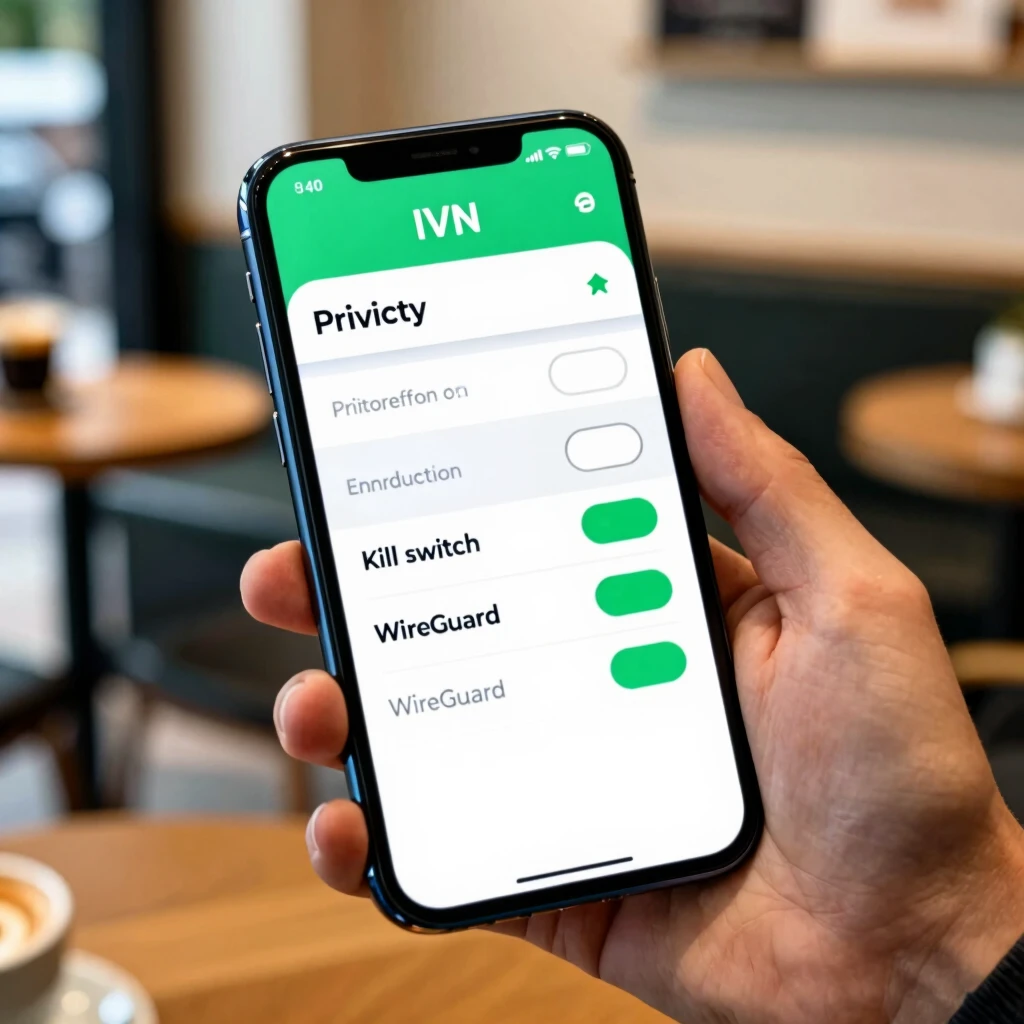
These steps took me 10 minutes first time. Now, it's routine for secure browsing.
Beyond VPNs, try password managers with encryption or Tor for anonymous surfing.
Common Hurdles and Fixes
Newbies often worry: 'Will encryption slow me down?' Modern tools like WireGuard keep it zippy.
Another myth: It's only for experts. Nope—apps handle the complexity.
If something glitches, check app updates or forums. Communities help.
For deeper dives, the Electronic Frontier Foundation (EFF) offers great resources: eff.org/encryption-guide.
Wrapping It Up
Encryption demystified: It's your simple tool for robust online privacy. From basics to configuring IVPN on Android, you've got actionable steps.
Start today—enable it on your devices, explore online privacy tools, and sleep better knowing your data's guarded.
Remember, in our connected world, encryption isn't optional; it's essential. Stay safe out there.